Advertisements
Turn every beep into insight: diagnose, adjust, and share your progress.
Swipe and discover how to master automotive mechanics step by step with the help of apps.
Advertisements
Guided Project: Diagnosing the Injection Light
- Connect your OBD-II dongle to the port under the steering wheel and pair with your favorite app (Torque Pro, Car Scanner or FIXD).
- Open the “Fault Codes” section in the app: wait a few seconds while it reads the PCM (engine control module).
- Write down the DTC code which appears, for example P0301 (misfire in cylinder 1).
- Interpret the error: Use the built-in database to find out if it's a spark plug, coil, or low compression.
- Solve it in a simple way: Check oil level and quality, tighten or replace the affected spark plug/coil pack.
- Delete the code from the app and turn off the engine.
- Take a driving test 10–15 minutes: Check that the light does not reappear and that the motor responds smoothly.
With this mini project, you'll go from being puzzled by a fault light to knowing how to identify and correct the most common cause in less than 30 minutes.
Advertisements
See also
- Listen to AM and FM radio anywhere
- The most economical cars
- Antivirus for your mobile
- Revitalizing tea: injects natural energy into every sip
- Find out who visits your social media profile
Customizing dashboards and alerts
To get the most out of it, adapt your digital board:
- Configure key gauges: In Torque Pro, add RPM, coolant temperature, and fuel pressure gauges; in Car Scanner, choose parameters for lambda and EGR sensors.
- Create multiple screens: separates “city monitor” (temperature, instantaneous consumption) from “route monitor” (speed, acceleration).
- Adjust colors and positions: Highlights high temperature or low pressure alerts in red.
- Activate push notifications: With FIXD, you receive automatic notifications when a problem is detected or a maintenance due date arrives.
- Save templates: Export your dashboards as screenshots or configuration files to share with friends or restore them on another device.
This way, your phone becomes a professional dashboard that alerts you instantly and visually guides you through any anomalies.
Predictive maintenance with apps
The key is to anticipate the breakdown:
- Schedule reminders: In FIXD, create tasks for oil changes (every 10,000 km), air filters (every 20,000 km), and brake checks (annually).
- Record each review: Record the date, mileage, and changed parts in the Car Scanner maintenance section or in Torque Pro notes.
- Monitor engine hours: For off-road work, use apps that calculate travel time and provide hourly alerts.
- Share reports: Export mileage and fault logs and send them to your trusted workshop for further analysis.
- Take advantage of temperature and voltage alerts: Anticipate overheating or weak battery problems before a long trip.
With a predictive routine, you minimize the risk of downtime and optimize the lifespan of each component.
Care and safety when getting into the car
Before any intervention, prioritize your protection:
- Ventilated space: works in an open garage or with air extraction.
- Insulated tools: Use rubber-handled wrenches and bits to avoid short circuits.
- Ergonomic posture: Keeps your back straight and prevents sudden twisting when bending under the hood.
- Battery disconnection: If you are going to touch circuits, disconnect the negative terminal to prevent shocks.
- Gloves and glasses: Protect your hands from hot oils and your eyes from particles or sparks when loosening screws.
- Adequate lighting: Use a headlamp to keep your hands free and allow good visibility in dark corners.
These precautions ensure that your training doesn't compromise your integrity and makes every repair a safe experience.
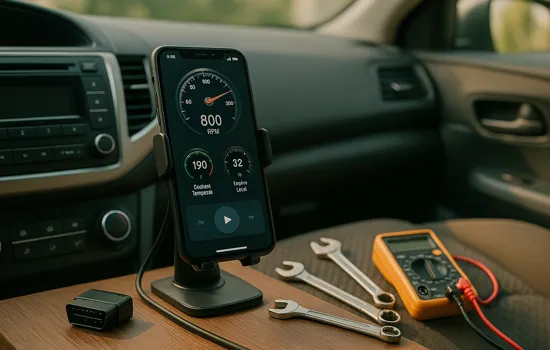
Share your evolution
Ready to show off your mechanical advancements?
- Take one out screenshot from your personalized dashboard and upload to networks with #MecánicaConApps.
- Record a video showing how to clear a fault code and reset the engine.
- Publish one review in your favorite app store, sharing your experience and top tips.
- Create a chat group with friends or colleagues to exchange logs, presets and tutorials.
- Organize a monthly challenge: Each participant makes a diagnosis and shares the solution.
By sharing your progress, you help others overcome their fear and create a community of digital mechanics willing to grow together.