Advertisements
✅ Volver y dominar Alexa ahora
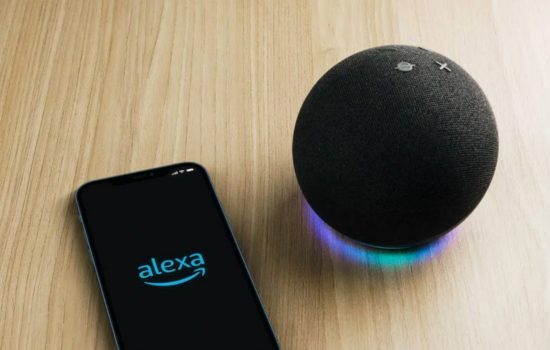
Why many people “don’t take advantage” of Alexa (and how to change that today)
Most people use Alexa for the basics, because no one showed them the real trick: Alexa works best with habits.If you learn 10 key commands and set up 2 routines, your assistant will go from a "speaker" to a "daily helper." The best part: you can do it today, without buying anything extra.
- Clear commands: Simple phrases that Alexa always understands.
- Routines: Automate daily tasks with a single phrase.
- Skills: It adds features (radio, games, news, productivity).
Advertisements
Quick guide: how to start using Alexa like a pro (today)
Do this in order. In less than 10 minutes, you'll have your Alexa set up, with helpful commands and a routine ready to use every day. You don't need to be a techie—just follow the plan.
Advertisements
- Step 1 (Now): Say “Alexa, what can you do?” and listen for ideas for your model.
- Step 2: Try 5 basic commands: weather, timer, alarms, news and music.
- Step 3: Adjust volume and microphone, and define your location (for weather and services).
- Step 4: Create your first routine: “Good morning” (lights/music/news).
- Step 5: Activate 1 useful skill (radio, lists, recipes or meditation).
- Step 6: Set reminders for things that really matter (payments, appointments, habits).
Quick tip: If Alexa fails, simplify your command. Instead of “play some relaxing music,” say “Alexa, play relaxing music” or “Alexa, play jazz.” Fewer words = more accuracy.
The 15 most useful commands (for everyday use)
Save this list. Mastering these commands will instantly improve your experience. They're the ones you actually use most often at home.
- “Alexa, set a 10-minute timer” (kitchen / productivity).
- “Alexa, set an alarm for 7:00” (daily routine).
- “Alexa, what’s the weather like today?” (rapid planning).
- “Alexa, what’s the news?” (daily summary).
- “Alexa, lower/raise the volume” (instant control).
- “Alexa, play music” / “play [artist/playlist]”.
- “Alexa, pause/continue” (reproduction control).
- “Alexa, add milk to my shopping list” (lists).
- “Alexa, what’s on my calendar?” (organization).
- “Alexa, remind me [homework] at [time]” (reminders).
- “Alexa, call [contact]” (if you have it set up).
- “Alexa, open [skill]” (extra functions).
- “Alexa, what was that sound?” (if you have Ring/compatible devices).
- “Alexa, turn the lights on/off” (smart home).
- “Alexa, good night” (night routine).
Routines: the trick to get Alexa to really save you time
Routines are Alexa's "superpower": one phrase triggers multiple actions. Here are 3 routines that improve real life without complicating things.
- "Good morning": weather + news + soft music.
- “Work mode”: reminders for tasks + Pomodoro timer + “do not disturb”.
- "Good night": Turn off lights + alarm + relaxing sound.
On the next page you have the links to download the official Alexa app and fully configure routines, devices and skills.
Download the Alexa app (Android and iPhone)
The official Amazon Alexa app This is where you truly control everything: devices, routines, skills, music, lists, reminders, and settings. If you want to master the assistant, this app is a must. Here are the direct links to install it.
Pro setup: what you should do as soon as you install it
If you want Alexa to truly work, don't settle for the basics. Do this today and your experience will change immediately.
- 1) Link your music account (Spotify/Amazon Music) and choose default.
- 2) Configure your address and time zone (weather, traffic, reminders).
- 3) Create 2 routines: “Good morning” and “Good night”.
- 4) Activate 3 useful skills (radio, meditation, productivity).
- 5) Adjust privacy: voice history and permissions.
Privacy and security: settings you should review
To master Alexa without worry, check your privacy settings. This isn't meant to scare you; it's about having control. Here are the basics you should adjust.
- Voice history: Review and delete recordings if you wish.
- Skills permissions: Install only the ones you actually use.
- Voice shopping: Activate PIN if you don't want accidental purchases.
- Microphone: Turn it off whenever you want total privacy.
FAQ: Quick questions about Alexa
Does Alexa work without internet? Internet access is required for most features (music, responses, skills). Some local actions may work depending on the device, but don't rely on it.
What are skills? These are “apps” within Alexa that add features: radios, games, recipes, meditation, etc.
Which routine should I create first? “Good morning” and “Good night.” These are the ones that have the most impact and are used daily.
Why doesn't Alexa understand? Usually due to long phrases, background noise, or incomplete settings. Use short phrases and check the language/location settings in the app.
Go back to the guide and try these commands today
Now you have the essentials: commands, routines, and the official app to control everything. Go back to the beginning and try 5 commands and 1 routine today. That's the leap that makes Alexa worthwhile.