Advertisements
Searching for "license plate and ticket apps" yields everything from official sources to dubious shortcuts. The real solution is simpler: use government apps that consult your plate, show fines/verification and allow pay or schedule from your phone, with receipt and notifications.
Here we talk about you vehicle, not to track third parties. “Identify plate” is to check the status of your registration, sanctions and verification in public systems. This way, you can avoid lines, overcharges for forgetting, and last-minute surprises.
The experience is similar everywhere: you log in with your citizen account, enter the license plate as shown and you choose Pay either ScheduleThe receipt arrives by email or you can download it as a PDF. Set alerts and close out the day with peace of mind.
Advertisements
Next, I'll tell you which app is best by country/state, what the flow looks like on screen and close with direct downloads (iOS/Android) and a step by step to try right now.
Advertisements
See also
- Learn to embroider with free apps
- App to identify car license plates
- Vitality Tea: Gentle Energy in a Cup
- Learn to play guitar with apps
- How to download and play GTA: San Andreas on mobile
Which app to use (and what each one solves)
California (USA) — CA DMV
Renew record, starts REAL ID, access to MyDMV and practice for the exam. The official app is available on the App Store and Google Play; the DMV website recommends it as a fast-track solution for paperwork. Ideal for completing your application without an in-person visit.
Mexico City — CDMX App
In the module Car You can register license plates, see photocivics and sanctions, consult/schedule verification, review No Circulation Today and receive notification if your car enters corralónEverything centralized in a Mexico City government app.
Argentina — My Argentina
You citizen digital profile: access to documents and State procedures (including vehicle and license-related management) with identity validation and notifications. Available on iOS and Android.
Colombia — SIMIT
Consult and pay fines nationwide; download peace and safe and email support. App of the Colombian Federation of Municipalities, with official stores linked from its portal.
Brazil — Sinesp Cidadão
Check by license plate if a vehicle has theft/theft record and detects signs of cloning with data from DENATRAN. Service of the National Public Safety Information System, listed on gov.br. Useful before carrying out any paperwork or making purchases.
Extra (California): CA DMV Wallet (mDL) — Digital license in deployment; currently operating at points TSA and specific sites. Still does not replace your physical credential, except where permitted by law.
What the flow looks like in the app (so you don't make mistakes)
When you open it, log in (MyDMV, CDMX account, Mi Argentina, SIMIT, or gov.br). You'll see a dashboard with shortcuts to Plates, Fines, Payments and Quotes. In CA DMV, MyDMV/renewals/REAL ID; in CDMX App, verification, photocivics, corralón; in SIMIT, fines and payments.
In Query by license plate, write your number exact (and the entity if applicable). You get violations with folio, date and amount, verification in force or due to expire, obligations and in Brazil the theft/robbery status. Always check that the editor be official before entering data or paying.
In Detail, open each record: you will see basis, deadlines and possible discounts for early payment. Then it's time Pay (government catwalk) or Schedule (verification/DMV). After payment, download the receipt or send it to your email.
Good practices (safety and legality)
Install only from official stores. Avoid APKs or websites that “see all the plates”; in addition to illegal, are a risk to your data. Confirm the editor: DMV, CDMX Government, Presidency/ARG, Federation/MJSP.
Fair permits. A public app shouldn't ask for SMS or access permissions without reason. Limit permissions if something doesn't fit.
Encrypted payments and saved receipts. Check HTTPS, save the PDF and forward it to the email. SIMIT allows you to download peace and safe from history whenever you need it.
Privacy. Limit the query to your vehicleSeveral jurisdictions reserve such data for administrative purposes.
Typical problems and short exits
“Can’t find my license plate.” Check format (letters/hyphens) and jurisdiction. Sometimes you have to link the vehicle to your account only once.
“The catwalk is falling down.” Close and reopen; check for update (CA DMV/SIMIT publish frequent updates.) Changing networks helps.
“I paid and the receipt didn’t arrive.” Look at Spam. In SIMIT you can download or forward the peace and safe from the app.
“Can I use a digital license?” In California, the mDL of DMV Wallet It is active in pilot and is accepted, for example, in TSA; check range and compatible equipment.
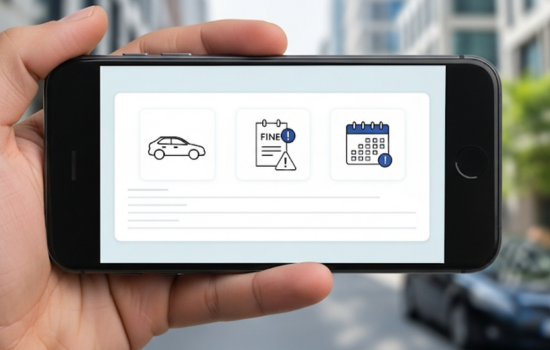
Mind map of screens (to help you find your way around quickly)
- Board: access to License Plates, Fines, Payments, Appointments.
- Search: plate field + state/entity selector.
- Results: list with pending/paid/overdue, folio and date.
- Detail: basis, amount, Pay/Schedule.
- Receipts: Download PDF either Send by email.
This pattern is repeated at CA DMV, App CDMX, and SIMIT; at Sinesp, the focus is on security (theft/robbery) and possible cloning.
Step by step (try it now)
- Install the official app for your jurisdiction (downloads below).
- Sign in with your account (MyDMV, CDMX, Mi Argentina, SIMIT or gov.br).
- Enter to Plates/Vehicle and write your plate as it appears.
- Check fines/verification/registration and touches Pay either Schedule.
- Discharge the receipt and activate alerts to avoid surcharges.
With this you can do in minutes what used to take a morning.
Official downloads
- CA DMV (California, USA)
• App Store (iOS): Apple
• Google Play (Android): Google Play - CDMX App (Mexico City)
• App Store (iOS): Apple
• Google Play (Android): Google Play - My Argentina (Argentina)
• App Store (iOS): Apple
• Google Play (Android): Google Play - SIMIT (Colombia)
• App Store (iOS): Apple
• Google Play (Android): Google Play - Sinesp Cidadão (Brazil)
• App Store (iOS): Apple
• Google Play (Android): Google Play